
Blink Shell 14: Legacy14.0.11 - App Store
You'll be able to see results in few seconds.
Publisher Description
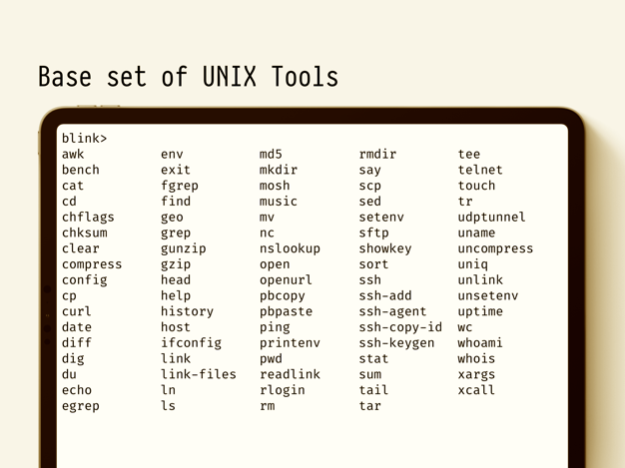
Do not buy. 不要买. Legacy. Download Blink Shell, Build & Code. Previous users can continue using by dismissing the prompt. Grandfathering period expired.
This is the Legacy version of Blink Shell. Download the new free version Blink Shell instead from https://itunes.apple.com/app/id1594898306.
Current users are grandfathered to keep receiving updates and new features. We are keeping this version alive to ensure a smooth transition.
Thanks for understanding.
—
We had no choice. We had to build Blink or we were going to jump out the window in frustration over the tools we were using. We started by analyzing what the must-haves were and we ended up grounding Blink on these four concepts:
• Fast rendering: dmesg in your Unix server should be instantaneous. We can't wait even a second to render. We didn't need to reinvent the wheel to make this happen. We simply used Chromium's HTerm to ensure that rendering is perfect and fast, even with those special, tricky encodings.
• Always on: Mosh transcends SSH's variability. Mosh overcomes the unstable and intermittent connectivity that we all associate with mobile connections. You can check your Safari without fear of having to restart the SSH connection. You can flawlessly jump from home, to the train, and then the office thanks to Mosh. Blink is rock-solid connected all the way. Mosh is readily available and can be easily installed on your server. Go to https://mosh.mit.edu.
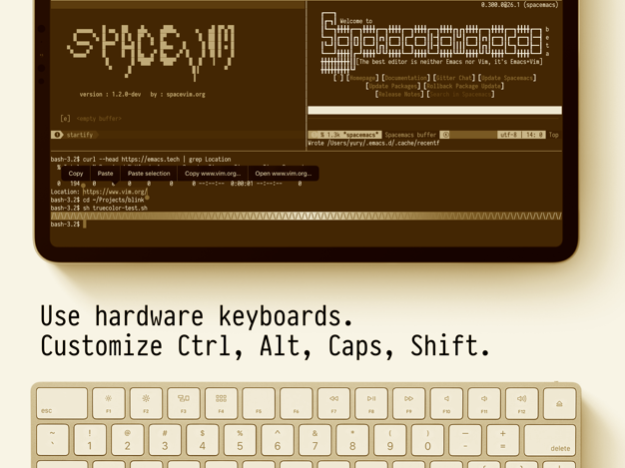
• Best Keyboard Support: Blink embraces Bluetooth-coupled keyboards with gusto. Some like Caps as Esc on Vim, others Caps as Ctrl on Emacs. Blink champions them all. During your always-on sessions, you're in your zone.
• Custom Fonts and Themes: We know how important it is to have your terminal, your way. That's why we include a selection of fonts and themes, including Powerline variants. And if that isn't enough, you can create and add your own.
But, Blink is much more. Please read on.
• You should command your terminal, not navigate it. Blink will jump you right into a friendly shell and it'll be clear to you how to roll.
• The interface is straightforward. We dumped all menus and went full screen for your terminal. Use swipe to move between your open connections, slide down to close them, and even pinch to zoom!
• Configure your Blink connections by adding your own Hosts and PKI keys. Synchronise with iCloud. Everything will look familiar and you get to work, fast!
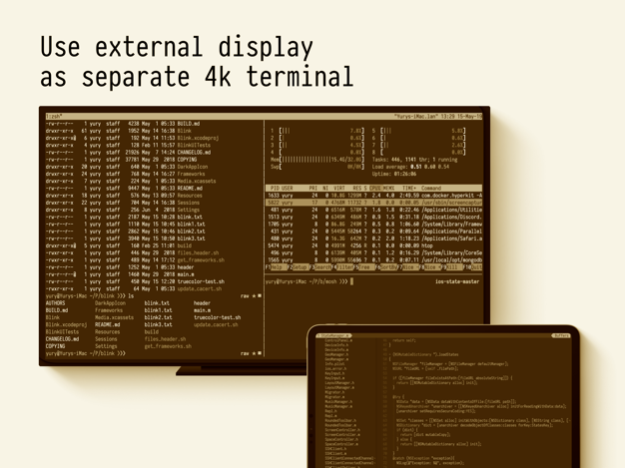
- We've incorporated SplitView and multiple windows, for those necessary Google searches and chats with coworkers.
Blink is open source software. Participate in our community, and don’t forget to leave us your feedback and your feature(s) requests. Enjoy!
http://blink.sh
http://twitter.com/blinkshell
http://GitHub.com/blinksh
Mar 9, 2023
Version 14.0.11
- Deadline to be grandfathered in the new version: April 15th
About Blink Shell 14: Legacy
The company that develops Blink Shell 14: Legacy is Carlos Cabanero. The latest version released by its developer is 14.0.11.
To install Blink Shell 14: Legacy on your iOS device, just click the green Continue To App button above to start the installation process. The app is listed on our website since 2023-03-09 and was downloaded 0 times. We have already checked if the download link is safe, however for your own protection we recommend that you scan the downloaded app with your antivirus. Your antivirus may detect the Blink Shell 14: Legacy as malware if the download link is broken.
How to install Blink Shell 14: Legacy on your iOS device:
- Click on the Continue To App button on our website. This will redirect you to the App Store.
- Once the Blink Shell 14: Legacy is shown in the iTunes listing of your iOS device, you can start its download and installation. Tap on the GET button to the right of the app to start downloading it.
- If you are not logged-in the iOS appstore app, you'll be prompted for your your Apple ID and/or password.
- After Blink Shell 14: Legacy is downloaded, you'll see an INSTALL button to the right. Tap on it to start the actual installation of the iOS app.
- Once installation is finished you can tap on the OPEN button to start it. Its icon will also be added to your device home screen.
Program Details
System requirements
Download information
Pricing
Version History
version 14.0.11
posted on 2023-03-09
Mar 9, 2023
Version 14.0.11
- Deadline to be grandfathered in the new version: April 15th
version 1.0
posted on 2016-09-27
Disclaimer
Official App Store Link
We do not host Blink Shell 14: Legacy on our servers. We did not scan it for viruses, adware, spyware or other type of malware. This app is hosted by Apple and passed their terms and conditions to be listed there. We recommend caution when installing it.
The App Store link for Blink Shell 14: Legacy is provided to you by apps112.com without any warranties, representations or guarantees of any kind, so access it at your own risk.
If you have questions regarding this particular app contact the publisher directly. For questions about the functionalities of apps112.com contact us.
